FREE ONLINE PHOTOMONTAGES WITH CELEBRITIES

The creation of photomontage and collage online is really a very widespread at the level of enjoyment by users of the Web ...

CCLEANER : THE BEST SOFTWARE FOR THE PC CLEAN

The need to clean your computer has practically lived by everyone using it today. This need arises because so many programs we install ...

PHOTOMONTAGER.COM DOWNLOAD GRATIS

PHOTOMONTAGER.COM is a site that allows you to create very beautiful photomontages and download them without the need to register ...

NETSTUMBLER FOR WINDOWS 7 - 8

Often we notice that the wifi signal of our WLAN network is weak or, in some moments, it is best received by our network card or USB adapter ...

THE BEST SITES FOR FREE ONLINE PHOTO EDITING

In this article I go on to describe useful tools, applications, software and online services for editing pictures and all ...

Showing posts with label video capture program. Show all posts

SCHRIMFOTO

SCHRIMFOTO : HOW TO CAPTURE SCREEN IMAGES
Who has not had the need to save in your computer photo or images found here and there in the WEB ? The screen capture is well known by those who reviews software (see I). The screenshot to capture it is important to understand, graphically, the operation of a program. But many users may find useful when surfing the net, save a part area of a page to use it off-line or send it to a friend. The program I am presenting today serves  to capture pictures and photos from your computer screen creating screenshots. And this can be done laso on the desktop, not only on the Internet. What do you call this free application ? : SCHRIMFOTO.

I describe its main functions :
  1. Create screenshots quickly.
  2. Save images in formats such as PNG, JPG, RTF, PDF.
  3. Ability to print the image on the fly.
  4. Send image by e-mail.
  5. Inserting fixed text (watermark) on the screenshot creation.
  6. Update for Windows 7.
SCHRIMFOTO : HOW TO CAPTURE SCREEN IMAGES
Operation it is very simple. This software captures images from the Internet or from your desktop in a verry easy mode. Once installed, you will find on any window to be opened, an icon representing a small camera. Clicking on it will start the capture screen. After capturing the area of your choice you can save it in various formats such as JPG or PNG or decide to send it via email to someone. This always means the simple functions of SCHRIMFOTO. In addition, you can also print directly onto paper the image captured. For example, if it contains text could return useful printing.

And do not forget the useful function of "watermark" inclusion. What is a watermark ? It's a sign that is placed on the photo or image captured so that it can be unusable by others. If, for example, you decide to place an image captured from the Web into your website or blog, you can put on  address of website or blog.

The right program for capturing screen images is SCHIRMFOTO.

DOWNLOAD SCHIRMFOTO GRATIS HERE
Subscribe to my FEED RSS freeware software for pc feed rss


MW SNAP

MW SNAP FREEWARE DOWNLOAD
MW SNAP 3 FREEWARE DOWNLOAD
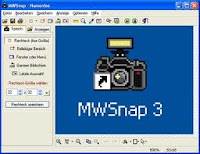
Now i write a simple review about MW SNAP a freeware software to download, useful to capture web and desktop screenshots and images. MWSNAP is a very good program to capture images from your desktop. It's also very simple to use. Last version is MWSNAP 3.0.

Often, browse the web, we come across beautiful images we wish to download. It's can do by right clicking and selecting "Save Image". Often there are blocks to save these images, but sometimes we want to download them all, perhaps, with caption. How to capture images and pictures from Internet and from the screen of your Desktop ? Simple, with suitable screen capture program. What I am presenting today, I use it personally for several months and is very easy.

It's called MWSnap 3 and it is freeware with the following features :
  1. Easy and fast installation.
  2. Ability to capture the screen in various formats.
  3. Ability to capture the entire Desktop.
  4. Size of the image captured customizable.
  5. Save as BMP, JPG, GIF.

    MW SNAP FREEWARE DOWNLOAD
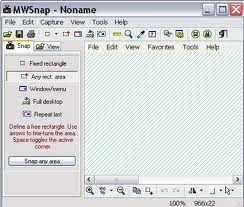
Its use is very simple. We want to capture the full view of our WINDOWS 7 operating system desktop ? Just run the program, go to the menu and by "Capture" select "Desktop" We see a snapshot of everything you need when you capture video without obviously MWSnap program, which closes momentarily during use.

Do you need a software program to capture images or video sequences ? We start the video, block image to be captured and we use MWSnap. Choose "Capture" and "Build the rectangle". Without this, we can create, using a crosshair, the rectangle of the correct size of the video image to capture. Once you "catch" the image, we can save on your hard disk or change in size before.

Excellent, easy to use, with very few system resources used.

MWSNAP : program to capture images from videos and photos, desktop screen, Internet, etc...

FREEWARE DOWNLOAD MWSNAP 3.0 HERE
Subscribe to my FEED RSS freeware software for pc feed rss


Privacy