FREE ONLINE PHOTOMONTAGES WITH CELEBRITIES

The creation of photomontage and collage online is really a very widespread at the level of enjoyment by users of the Web ...

CCLEANER : THE BEST SOFTWARE FOR THE PC CLEAN

The need to clean your computer has practically lived by everyone using it today. This need arises because so many programs we install ...

PHOTOMONTAGER.COM DOWNLOAD GRATIS

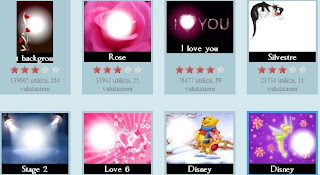
PHOTOMONTAGER.COM is a site that allows you to create very beautiful photomontages and download them without the need to register ...

NETSTUMBLER FOR WINDOWS 7 - 8

Often we notice that the wifi signal of our WLAN network is weak or, in some moments, it is best received by our network card or USB adapter ...

THE BEST SITES FOR FREE ONLINE PHOTO EDITING

In this article I go on to describe useful tools, applications, software and online services for editing pictures and all ...

Showing posts with label photos. Show all posts

FREE SOFTWARE TO DEFORM IMAGES

FREE SOFTWARE TO DEFORM IMAGES
Today we enjoy a fantastic software, easy to use and that will amaze you with the final result that will allow you to get. Let's talk about DeformerPro, a free program to warp pictures and photos of our friends. With this software to the deformation of images, even the actor or the most beautiful model in the world will become a monster !

Let's see its features :
  1. Simple installation and ease of use disarming.
  2. Strain through a simple grid placed over the image.
  3. Change in any part of the picture.
  4. Save picture formats : JPEG, PNG, BMP.

Have you seen ? A few features but are those needed to create stunning and unreal distortion effects to images and pictures of you or your colleagues might. Just upload an image and begin to distort the picture where you want, through the use of a convenient grid. If you are happy with the results, you can store them in a file format JPG, PNG or BMP. You can zoom in or out of a nose. Create the effect of protruding ears, squeeze their eyes from their sockets, or even exaggerate the mouth until it becomes like that of Pamela Anderson.

DEFORMERPRO is a free software for distorting pictures and photos, to deform images and carries out its function effectively simple. Although the software is also in English, its ease of use is disarming. Warp images with programs like Adobe Photoshop can be very complicated if you are not real graphics experts. That's why DEFORMERPRO is for everyone. Have fun using it as I did. Here is the result of my experiment :
FREE SOFTWARE TO DEFORM IMAGES
DOWNLOAD DEFORMERPRO SOFTWARE  HERE
Subscribe to my FEED RSS freeware software for pc feed rss


THE BEST SITES FOR FREE ONLINE PHOTO EDITING

THE BEST SITES FOR FREE ONLINE PHOTO EDITING
In this article I go on to describe useful tools, applications, software and online services for editing pictures and all for free. I talked about some of the major online photo editing services in this article :


In that article I described free online photo editing services like PHOTOVISI, PIXLR, PHOTOSHOP, PICNIK e PIC TREAT. They are very good and very easy to use. Here I want to add others, found on the web that seem to be very good.

The editing is very important as it allows us to improve the content of a photo or image. Pictures taken by us, unless we are experts in photo, may have some imperfections due to contrast, light, color, red eye, etc... Trust, however, that even photographers and advertisers, after running around with their professional cameras, using image editing programs and this is how, actresses, models, TV presenters, etc.., with 0 become beautiful with 0 imperfections. Virtually all the artistic nude calendars, for example, have been retouching.

Sure, we might do not need to create calendars or professional photo but if we share our pictures on social networks like FACEBOOK or photo sharing services like FLICKR, then we must improve them.

Here is an addition to edit photos free online :
  1. JPG FUN
  2. PHOTO FUNIA
  3. FUN PHOTO BOX
JPG FUN :
  1. Online service freeware.
  2. Many environmental effects to create montages.
  3. Upload photos fast.
  4. Ability to save the photomontage on the HDD.
  5. Lots of templates ready for use.
THE BEST SITES FOR FREE ONLINE PHOTO EDITING
What can I say ! Look how beautiful is MARYLIN MONROE in this frame. Do you want include a photo in its place ? Maybe a photo of your girlfriend or your mother, so as to make them a small gift. Environments to be used are numerous and there are also templates with sexy photomontages ! A really nice online service freeware for photomontage.

WEB SITE JPG FUN HERE

PHOTO FUNIA :
  1. Free online service that requires no registration.
  2. Very quick upload image.
  3. Choose between a variety of environments for the photomontage.
  4. Save on hard disk.
  5. Save as 100x100 avatars.
THE BEST SITES FOR FREE ONLINE PHOTO EDITING
Well, what about of this incredibly beautiful montage ! Its use of chromaticism applied to a picture that portrays me. Try it yourself. The effects applied are numerous and there are animation effects. Operation is simple and fun. You can save the image created on the hard disk in original size or in avatar version size (100px - 100 px), so it can be used in various forums involving or inserted in your site/blog.

WEB SITE PHOTO FUNIA HERE

FUN PHOTO BOX :
  1. Online service without registration.
  2. Many environmental effects for photomontages.
  3. Upload photos fast.
  4. Ability to save on HD or share photos created.
  5. Animation effects applicable.
  6. Many templates to use.
THE BEST SITES FOR FREE ONLINE PHOTO EDITINGTHE BEST SITES FOR FREE ONLINE PHOTO EDITING
This online montage service is amazing ! You have no idea how many spaces to insert your images. Have you seen my photo fits well as on the facade of that building ? But templates are endless. You can also choose to create animations and include covers of popular magazines. Wonderful service that allows you to save the photo on the hard drive or share it through links on websites or blogs but also on your FACEBOOK profile. Sensational FUN PHOTO BOX !

WEB SITE FUN PHOTO BOX HERE

I hope I've done what pleasant by adding these other editing services and wish you a lot of fun using them. These are services, along with other mentioned in the previous post, very useful not only for novices but also for experts advertisers, artists and photographers, that sometimes find it difficult to use complex software to charge as PHOTOSHOP. We are now in the world of open source and freeware, and then these services we are trying to use.
Subscribe to my FEED RSS freeware software for pc feed rss


BEST ONLINE PHOTO EDITOR FREE

BEST ONLINE PHOTO EDITOR FREE
BEST ONLINE PHOTO EDITOR FREE LIKE PHOTOSHOP
When taking a picture with our camera or camera phone, often, because we are not photographers, we are aware of flaws in photos. Modify and adapt these imperfections can now quite easily without resorting to photographers or to expensive and difficult to use software like PHOTOSHOP. With the advent of the Web and open source, many editors have decided to create genuine online services free to retouch and edit our images.

This is because they understood the importance and dissemination of personal photos and pictures on social networks like FACEBOOK. In fact, many of the services that I will present, allow sharing on social networks or photo sharing services likeFLICKR also.
So, if your photo is too light or has the "red eye effect", do not worry, in a few steps, with the use of these online image editing tools, makes them look better.

Here are the best online services in 2010 to edit and retouch photos :
  1. PIXLR
  2. PICNIK
  3. PIC TREAT
  4. PHOTOVISI
  5. PHOTOSHOP
PIXLR :
  1. Nice layout and easy graphical interface.
  2. It runs on Windows, Mac, Linux.
  3. Many editing features and effects for many.
  4. Also upload images from Facebook, Picasa, Flickr, etc...
  5. Uploading and retouching operations very quickly.
PIXLR : MODIFICA E 
RITOCCA LE TUE FOTO ON-LINE
PIXLR is a service to edit and revise our images very modern with very nice graphical interface and ease of implementation of operations, disarming. You can choose your language in order to better understand the steps of photo editing.

WEB SITE PIXLR HERE

PICNIK :
  1. With a beautiful graphical user interface.
  2. Multi-language.
  3. Upload photos from various services : Facebook, MySpace, Picasa, etc. ...
  4. Numerous functions and effects.
  5. Runs on Windows, Mac, Linux.
  6. Fast execution of operations.
PICNIK : BEST ONLINE PHOTO EDITOR FREE
How PIXLR, PICNIK has a function to upload photos on FACEBOOK, PICASA, FLICKR and other online services where we have inserted images. So you do not need them on your hard disk. An amazing graphics software, freeware and used without registration. There is a premium version with many more features.

WEB SITE PICNIK HERE

PIC TREAT :
  1. Free registration service.
  2. Upload photos from your hard drive or USB stick.
  3. Upload files to Flickr or Facebook.
  4. Effects of brightness, red eyes, color and saturation.
  5. Very fast saving on computer.
BEST ONLINE PHOTO EDITOR FREE
For those who want to edit personal images, this service allows a recording that gives access to other functions. Those standards, however, are more than enough for those who want to tweak a little, just in a few clicks, photos.

WEB SITE PIC TREAT HERE

PHOTOVISI :
  1. Free service where you do not register.
  2. Simple and intuitive user interface.
  3. Image editing very fast.
  4. Several templates for the final effect of collage.
  5. Crop or deleting images.
  6. Ships via e-mail your collage.
BEST ONLINE PHOTO EDITOR FREE
PHOTOVISI is a very special online photo service. In fact we can upload images, edit them by changing the look and choose a template from those available, to create a collage with posted photos. The created collage can be sent directly from the site, via e-mail to friends and acquaintances or ourselves if we do not want to download it. Also, if the uploaded photos are of good resolution (like 800x600 - 1024x768) then you can make use of collage as a background for your PC desktop.

WEB SITE PHOTOVISI HERE

PHOTOSHOP :
  1. Opportunity to register or use a test account. 
  2. Simple user interface. 
  3. Operations of editing very fast.
  4. Different templates to create a collage effect. 
  5. Crop photos and deletion functions. 
  6. Shipping collage via e-mail. 
  7. Share on social networks such as : Facebook, Flickr.
PHOTOSHOP : 
BEST ONLINE PHOTO EDITOR FREE
PHOTOSHOP is worthy of its name. It is not the popular graphics software, but believe me, you can create pictures truly surreal. Before you register, try to use the service in a "test drive" mode and see how it will be easy and beautiful. Creating an account you can use many other features of photo editing. Photos can be also sent to FACEBOOK or FLICKR or by e-mail to anyone you choose.

WEB SITE PHOTOSHOP HERE

There are other online applications that allow editing and retouching of images and photos but the ones I tested were really effective and the top. I hope you can have fun and improve your personal photos !
Subscribe to my FEED RSS freeware software for pc feed rss


WHAT'S THE BEST ONLINE PHOTO EDITING SOFTWARE FOR FREE

WHAT'S THE BEST ONLINE PHOTO EDITING SOFTWARE FOR FREE
One of the major activities, carried out today, is to share on social networks like FACEBOOK, personal photos and images. Often photos taken with a cell phone, camera or video camera are not very good. It is useful in these cases, how to use software suitable for retouch and edit images. With the advent of open source and the Internet, online graphics services were created that allow, through improved upload photos, editing, applying many of the most common effects such as red eye, blur effect, effect pencil, etc...

Believe me, these online programs have nothing to envy the famous payment applications such as ADOBE PHOTOSHOP or PAINT SHOP PRO. Sure, they will have not all the functions that have them but we need just to edit and enhance photos and images and then ... save several hundred dollars, do not believe is favorable to us ?

Today I show you five of the best online photo editing software for free in 2010 -2011 where you  will can edit and retouch photos and images for free. These services require no software installation on your PC, then all users who use Windows 7 will not have compatibility issues.

Here is the list with a brief description next to each :
  1. PIXLR
  2. PICNIK
  3. PIC TREAT
  4. PHOTOVISI
  5. PHOTOSHOP
PIXLR :
  1. GUI easy to use and very nice layout.
  2. Service that runs on Windows, Mac, Linux.
  3. Many functions of editing and many effects to apply.
  4. Also upload photos from Facebook, Picasa, Flickr, etc...
  5. Very fast execution speed.
PIXLR : WHAT'S THE BEST ONLINE PHOTO EDITING SOFTWARE FOR FREE
This online service is truly innovative. You will find more common features for editing images and photos. With PIXLR change and editing photos become a fun.

WEB SITE PIXLR HERE

PICNIK :
  1. Graphical user interface very good.
  2. Multi-language service.
  3. Upload photos to social networks : Facebook, Flickr, MySpace, Picasa, ETC ...
  4. Many editing features and special effects to apply.
  5. Operating on Windows, Mac and Linux.
  6. Rapid execution of operations.
PICNIK : WHAT'S THE BEST ONLINE PHOTO EDITING SOFTWARE FOR FREE
Although this graphic software is freeware and requires no registration. The functions and effects applied are indeed numerous. Very nice layout. There is also a premium version that has many other features. It's important to emphasize, as for PIXLR, that you can upload not only from hard drive but also directly from the photo archive that you have on FACEBOOK and other social networks.

WEB SITE PICNIK HERE

PIC TREAT :
  1. No registration to use the service. 
  2. Loading photos from HD or USB stick. 
  3. Upload photos and pictures on Flickr or Facebook. 
  4. Change brightness, red eye, color and saturation, etc... 
  5. Quick save image edited on a PC.
WHAT'S THE BEST ONLINE PHOTO EDITING SOFTWARE FOR FREE
Also you can register on PIC TREAT website to take advantage of more features but i think those who are already without recording mode are more than enough for editing. Besides, we're not all photographers.

WEB SITE PIC TREAT HERE

PHOTOVISI :
  1. Free and without registration.
  2. User-friendly interface.
  3. Very fast execution of editing operations.
  4. Different templates for your collage.
  5. Cropping photos posted or cancellation.
  6. Ships via e-mail your collage.
WHAT'S THE BEST ONLINE PHOTO EDITING SOFTWARE FOR FREE
This graphics software for online use, is particular because it allows, uploading photos, creating a collage with them. The collage can have different templates that we can choose, and if the photos are in a high resolution around 800x600 or 1024x768, then the collage can be used, for example, even as desktop wallpaper. Furthermore, the ability to send via e-mail your collage to someone or ourselves if we do not want to download it, it is very useful. We can also perform some operations such as cropping, if we want. Beautiful, original and funny : PHOTOVISI.

WEB SITE PHOTOVISI HERE

PHOTOSHOP :
  1. With free trial accounts or registration.
  2. User-friendly interface.
  3. Very rapid execution of operations of photo editing.
  4. Collage function with different graphic templates.
  5. Crop and delete photos functions.
  6. Shipping collages via email.
  7. Share on the social networks such as FaceBook or FLICKR.
PHOTOSHOP : WHAT'S THE BEST ONLINE PHOTO EDITING SOFTWARE FOR FREE
Do you want to create unreal photos and share them online ? Easy with this online software. You can upload up to a maximum of 2 Gig of photos. When you go on site choose the "TEST DRIVE" mode that does not require registration. If you like the program you can create an account and use many other numerous functions. PHOTOSHOP will allow in a few clicks, manage, store and share your photos and images.

WEB SITE PHOTOSHOP HERE

Well, here I come to the end of this review and I hope it satisfied your need for photo editing resources. My photo editing program, in 2010, is for me PHOTOSHOP, a little more complex to use than others but the results, as you see, if you try it, are amazing !

Subscribe to my FEED RSS freeware software for pc feed rss


THE BEST FREE GRAPHICS SOFTWARE

THE BEST FREE GRAPHICS SOFTWARE
We can not have on our computer program to make graphics. Very often we need to amend, revise and edit our photos and pictures to share on the Web or print. For this reason, operating system graphics utilities are not enough but we need more powerful tools. ADOBE PHOTOSHOP you know that is one of the best programs to make graphics. Unfortunately, it costs a lot. With the advent of open source and freeware, even the software companies who are dedicated to graphics have made available, for free, applications to amend, revise, edit photos and images. The quality of some of the softwares has nothing to envy to programs like Adobe Photoshop or Paint Shop Pro (which still have to buy if you are professionals).

For us web users who love to work on our photos at home for fun, then the following utilities are very good :
  1. PIXIA
  2. GIMP
  3. BLENDER
  4. PHOTOBIE
  5. PAINT.NET
PIXIA :
  1. User interface easy to use.
  2. Creating banners and buttons.
  3. Many filters applied to images.
  4. It supports layers and masks.
  5. Advanced design for the more experienced.
  6. Supported image files : BMP, DIB, EPS, ICO, JPEG, JPG, PICT, PCT, PNG, PSD, PXA, RGB, TGA, TIFF.
  7. Many features on the changing colors.
  8. Updated for Windows 7.
PIXIA : 
THE BEST FREE GRAPHICS SOFTWARE
This freeware graphics software is useful for novices but has a very special feature for those who can draw in freehand mode. PIXIA infact, was created in Japan for the manga designers. This makes us understand how it's a very good photo editing tool.

DOWNLOAD PIXIA HERE

GIMP :
  1. Very innovative user interface and easy to use.
  2. Guides, tutorials for online learning.
  3. Compatibility with systems such as Linux, Windows XP, Mac OS X.
  4. Performing functions very fast.
  5. Lots of editing and retouching functions.
  6. Ability to work on layers and masks.
  7. Used by novices and experts.
  8. Software up to date.
GIMP : THE BEST FREE GRAPHICS SOFTWARE
Who does not know GIMP, one of the best freeware programs for photo retouching. With it you can greatly improve the quality of our images or photos. Definitely recommended for both novices and experienced users.

DOWNLOAD GIMP HERE

BLENDER :
  1. Installation fast and very easy menù to use.
  2. Creation of several animation effects.
  3. Ability to work on various levels of graphics.
  4. Creations in 3D views.
  5. GameBlender function for creating 3D animated games.
  6. Lots of plugs-in download to use on textures created.
  7. Special functions for animation effects.
BLENDER : THE BEST FREE GRAPHICS SOFTWARE
You see what you can create with BLENDER. A spider almost more real than normal. For who do not know, BLENDER is a 3D animation software currently in circulation among the best in 2010. I wanted to review it between editing software so that even some lovers of the 3D could download it. The insiders know him very well. It's the typical program to create landscapes, environments, characters in the third dimension for cartoons and digital film. In Hollywood, on a MAC computers, it makes much use of this software. Even possible, through the GAMEBLENDER function, to create animated 3D games that are very fashionable today in the Web. The algorithms for lighting effects, the numerous effects applied to create textures and more make BLENDER one of the best utility for 3D graphics. And why do not download it ? Check it clicking on the link below to download.

DOWNLOAD BLENDER HERE

PHOTOBIE :
  1. User-friendly interface.
  2. Typical functions such us sizing, cutting, processing colors, etc. ...
  3. Many visualizations applicable.
  4. Support forms and levels.
  5. Several plugs-in to download.
PHOTOBIE : THE BEST FREE GRAPHICS SOFTWARE
PHOTOBIE is an application which also has a free version (the one that interests us). Its practicality and its many functions to apply effects and improve our photos and pictures, do it one of the most widely used graphics programs in 2010.

DOWNLOAD PHOTOBIE HERE

PAINT.NET :
  1. Simple graphical user interface well done.
  2. It supports layers and masks.
  3. Many special effects can be applied.
  4. Many functions for changing the colors.
  5. Traditional functions of rotation, zoom, resize.
  6. Plugs-in downloadable from the Web.
  7. Multi language software.
PAINT.NET : THE BEST FREE GRAPHICS SOFTWARE
PAINT.NET is well known among experts but its quality makes it increasingly used as between the average user, the one that simply needs to change, retouch, resize, apply a horn, change colors, apply special effects to their photos and images. Recommended for its use, very simple. Did you know that this photo editing software, including freeware version, is the evolution of the more famous 
MICROSOFT PAINT
?

DOWNLOAD PAINT.NET HERE

I reviewed 5 FREE GRAPHICS SOFTWARE. One, in particular, Blender, is the "ultimate" for 3D graphics. Certainly, some professional programs pay as Adobe Photoshop, Paint Shop Pro, Corel Draw, have many other functions. But how funcions will we use ? The future is open source and freeware. So if you need a powerful, effective graphics software, choose among them, the best in 2010 aalso updated for Windows 7.

I promise you that I'll review other anyway.

Subscribe to my FEED RSS freeware software for pc feed rss


PHOTOMONTAGER.COM DOWNLOAD GRATIS

PHOTOMONTAGER.COM DOWNLOAD GRATIS
PHOTOMONTAGER.COM is a site that allows you to create very beautiful photomontages and download them without the need to register or install software on your PC. The service for creating photomontages on PHOTOMONTAGER.COM is free.

Its use is very simple. Go to the web site and choose from the many available graphic templates. There are lots of layouts in which to insert your image or photo or that of someone else, perhaps a celebrity or your friend. After making your choice you can take the next step to upload your photos from your hard drive or take one with your webcam. After this stage, PHOTOMONTAGER.COM allows you to edit, crop, zoom and add a simple text image.
PHOTOMONTAGER.COM DOWNLOAD GRATIS
At this point, if satisfied with the outcome, you can download the photomontage by clicking the right mouse button and choose "Save As". PHOTOMONTAGER.COM allows free gratis download and its really fun and photomontages are numerous. An online service to create photomontages simple and fast, certainly to try.

PHOTOMONTAGER WEB SITE HERE

Subscribe to my FEED RSS freeware software for pc feed rss


Privacy